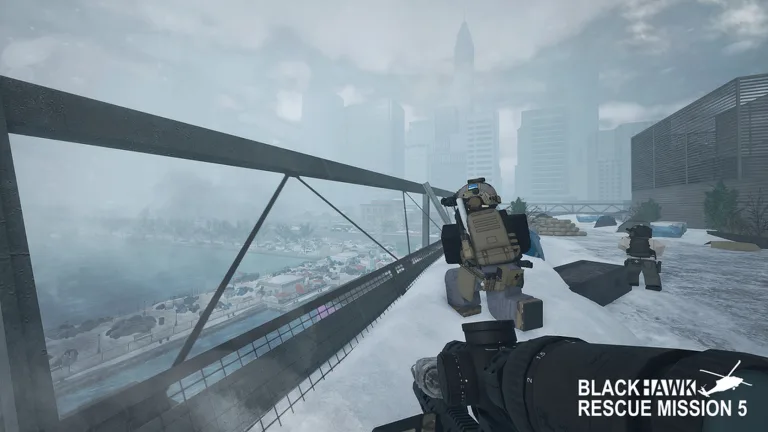
Published: Blackhawk Rescue Mission 5 Wiki Editorial Team
Table of Contents
Introduction to Tactical Operations and Control Layouts
Jumping into intense tactical military operations requires a solid grasp of your input devices, making your knowledge of blackhawk rescue mission 5 console controls the ultimate factor between mission success and a quick defeat. Without knowing your inputs, reacting to sudden ambushes in hostile open-world sectors becomes nearly impossible. This comprehensive breakdown of blackhawk rescue mission 5 console controls covers every movement, weapon handling technique, and vehicle command you need to dominate the battlefield on Roblox.
According to the official Blackhawk Rescue Mission 5 Roblox Page, developed by Platinum Five, mastering these default button layouts ensures optimal survival rates in open-world combat zones. Whether you are navigating rugged terrain in a 4x4 or engaging hostile combatants in close quarters, understanding your hardware layout directly impacts your tactical efficiency.
Essential Basic Movement and Infantry Commands
Navigating the expansive open-world map requires fluid movement mechanics. Your basic infantry commands dictate how you traverse obstacles, enter cover, and maintain stealth during high-risk operations.
Player experience reports indicate that combining sprint and slide mechanics allows operators to quickly break line-of-sight during active firefights. Below is a detailed breakdown of fundamental movement inputs for both PC and Xbox platforms.
Movement & Navigation
WASD / Left Stick: Controls directional movement (forward, left, backward, right). Diagonal movement is achieved by pressing vertical and horizontal inputs simultaneously.
Shift / LS: Hold to sprint, which increases movement speed and forces characters out of crouched or prone stances.
Space / A: Press to jump or vault over low cover objects when facing them directly.
Stance & Combat Posture
C / B: Press to crouch, or slide into cover if pressed while sprinting outside of combat stance.
X / B (Hold): Hold to drop into a prone position, which cancels sliding momentum and provides maximum recoil reduction.
Q & E / LB & RB: Hold to lean left or right around corners for tactical peeking.
Action / Function
PC Control
Xbox Control
Tactical Notes
Sprint
Shift
Left Stick (LS)
Forces stand up from prone/crouch
Crouch / Slide
C
B (Press)
Pauses sprint momentum
Prone
X
B (Hold)
Does not cancel active sprint
Lean Left / Right
Q / E
LB / RB
Essential for corner cover
Interact / Open Map
F / M
X / View
Used for doors and objectives
Advanced Weapon Handling and Firefights
Accurate gunplay is the backbone of any successful squad operation. When deploying into hostile territory, knowing your blackhawk rescue mission 5 console controls for firearms allows you to switch fire modes, reload under pressure, and utilize optics efficiently.
Community reports emphasize that managing your weapon's zeroing distance and secondary optics can dramatically improve engagement accuracy at long ranges.
Equip Primary Weapon: Press 1 on PC or tap the Up D-pad on Xbox to draw your primary rifle.
Aim Down Sights (ADS): Hold the Right Mouse Button (RMB) or LT to engage your weapon's optic sight.
Manage Fire Modes: Press V on PC to cycle between semi-automatic and fully automatic fire rates depending on the tactical situation.
Reload Weapon: Press R or X to reload your magazine before entering high-risk structural clearings.
Weapon Action
PC Input
Xbox Input
Description
Equip Primary
1
Up D-pad
Draw or holster main rifle
Aim Down Sights
RMB
LT
Hold for precision aiming
Fire Weapon
LMB
RT
Semi-auto or full-auto fire
Reload
R
X
Replenish weapon magazine
Fire Mode Toggle
V
N/A
Switch firing characteristics
Ground Vehicle Navigation and Remote Weapon Stations
Transporting your squad across massive maps requires careful driving and familiarity with vehicular controls. Whether you are operating a standard 4x4 utility vehicle or an armored transport, mastering steering and braking is vital for survival.
According to community tactical guides, holding the handbrake while executing sharp turns enables controlled drifting around tight corners, keeping your vehicle mobile during enemy ambushes.
Tip
Vehicle Combat Tip: While operating vehicles equipped with Remote Weapon Stations (RWS) like the Stryker or Tigr-M, use the right mouse button or camera toggle to switch between thermal imaging and standard daylight cameras to spot concealed infantry.
Vehicular Action
PC Input
Xbox Input
Notes
Drive / Steer
WASD
Left Stick
Universal directional vehicle control
Brake / Handbrake
Space
A (Hold)
Enables drifting when turning
Enter / Exit Seat
F
X
Embark or disembark any vehicle
Vehicle Horn
H
Up D-pad
Honk horn from driver's seat
Freelook / Mouse Steer
Left Alt
N/A
Locks camera and steers with mouse
Frequently Asked Questions
Can I customize my blackhawk rescue mission 5 console controls?
Game settings within Roblox allow for various adjustments, though core mapping layouts for controllers and keyboards generally follow standard tactical shooter configurations to ensure reliable responsiveness during high-stakes combat scenarios.
How do I toggle night vision goggles (NVGs)?
On PC, you can press the N key to toggle your equipped night vision goggles. Ensure you have purchased and equipped NVGs in your character loadout menu at your headquarters before deploying into dark environments.
What is the control input for opening the tactical map?
You can instantly access the real-time tactical map by pressing M on a PC keyboard or the View button on an Xbox controller, allowing you to check objective waypoints and coordinate movement with your squadmates.