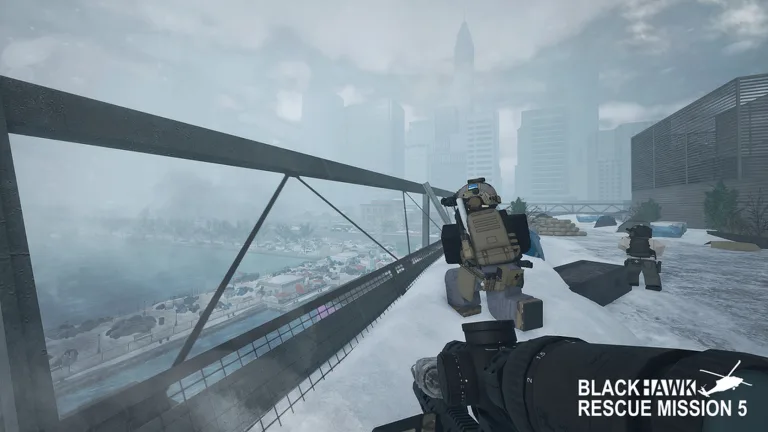
Blackhawk Rescue Mission 5 Controls Guide for Beginners
Master the essential blackhawk rescue mission 5 controls on PC and Xbox. Discover tactical movement, combat mechanics, and vehicle handling tips today.
Published: Blackhawk Rescue Mission 5 Wiki Editorial Team
Table of Contents
Introduction to Tactical Operations in Roblox
Stepping into the intense tactical environments of blackhawk rescue mission 5 controls can be overwhelming for operators who are unfamiliar with the key bindings. Mastering blackhawk rescue mission 5 controls right from the start is crucial because split-second reactions determine whether your squad successfully completes extraction or gets pinned down in hostile territory. Whether you are navigating the rugged terrain of Ronograd on PC or commanding vehicles using a gamepad, understanding your layout provides the tactical edge needed to survive.
According to community reports and player experience, new operatives frequently struggle with advanced movement and weapon management during night raids. In this comprehensive guide, we will break down everything you need to know about basic layouts, weapon customization bindings, and vehicular steering mechanics. For official game details and direct access, you can visit the Roblox Game Page hosted by Platinum Five.
Essential Basic Movement and Interaction Layouts
Smooth mobility is the foundation of survival in any high-stakes military shooter. The core basic input scheme allows players to transition fluidly between sprinting, crouching, and prone stances while managing stamina and positioning.
Player experience indicates that learning how to lean around corners using Q and E keys drastically reduces your silhouette during firefights. Furthermore, utilizing night vision goggles (NVGs) via the N key transforms pitch-black nighttime operations from terrifying ambushes into manageable tactical advances.
Basic Movement: Use WASD keys on PC or the Left Stick on Xbox to navigate terrain, pressing vertical and diagonal keys simultaneously for smooth tactical repositioning.
Stance Control: Press C to crouch or slide into cover, and hold X to go prone. These actions help minimize your exposure when taking enemy fire.
Leaning Mechanics: Hold Q (left) and E (right) to peer around corners without exposing your entire body to hostile combatants.
Environmental Interaction: Press F to interact with doors, vehicle depots, and rescue objectives across the open-world map.
The following reference table outlines the primary basic controls for both PC and Xbox platforms in the open-world game mode:
PC Input
Xbox Input
Function & Description
WASD
Left Stick
Directional movement (forward, left, backward, right)
Shift
LS (Hold)
Sprinting and forcing a standing stance
Space
A
Jump or vault over low obstacles
C
B
Crouch or slide into cover
X
B (Hold)
Go prone to avoid enemy fire
Q / E
LB / RB
Lean left or right around corners
N
N/A
Toggle Night Vision Goggles (NVGs)
F
X
Interact with objects, doors, and gear
M
View
Open the tactical map
Advanced Weapon Handling and Combat Keybinds
Precision firepower wins engagements, but only if you know how to operate your loadout efficiently under pressure. Weapon mechanics in this tactical Roblox experience require careful management of fire modes, zeroing distances, and magnification optics.
According to community reports, beginners often fail to utilize the middle mouse button (MMB) to toggle combat stance. Activating combat stance slows your movement speed and disables sliding, which significantly improves your stealth profile and weapon stability when creeping through enemy compounds.
Primary and Secondary Slots
Press 1 for your primary rifle, 2 for your sidearm, and 3 for your melee weapon. Keeping your gear organized ensures you never fumble during a surprise ambush.
Fire Mode and Zeroing
Press V to switch between semi-automatic and full-auto fire modes, or hold V to engage the safety. Use Page Up and Page Down to adjust zeroing on variable optics.
Review the weapon input matrix below to optimize your combat effectiveness during active deployments:
PC Input
Xbox Input
Combat Function
1 / 2 / 3
D-Pad Up/Left/Right
Equip primary, secondary, or melee weapons
LMB
RT
Fire weapon (full-auto or semi-auto)
RMB
LT
Aim Down Sights (ADS)
MMB
N/A
Toggle combat stance for stealth and stability
R
X
Reload active firearm
V
N/A
Switch fire mode (Hold for safety switch)
T
N/A
Swap to secondary optic attachment
Scroll Wheel
N/A
Adjust variable zoom magnification
Ground Vehicle and Transport Steering Mechanics
Traversing the expansive open-world map on foot is inefficient and dangerous, making vehicles mandatory for survival. Whether you are driving a starter 4x4 purchased from the vehicle depot or operating an armored transport, mastering vehicle handling keeps your squad mobile.
Player experience highlights that holding the brake (Spacebar) while steering left or right allows drivers to execute controlled drifts around sharp corners. Additionally, pressing Left Alt enables freelook mode, letting you scan your surroundings while keeping the vehicle moving forward.
Tip
Always load extra medical supplies and ammunition into your vehicle's trunk before deploying into hostile territory to ensure long-term sustainability during solo or squad patrols.
The table below details ground vehicle controls for smooth tactical transport:
PC Input
Xbox Input
Vehicular Action
WASD
Left Stick
Steer and drive ground vehicles
Space
A (Hold)
Brake vehicle or perform tactical drifts
H
Up D-Pad
Honk vehicle horn
F
X
Enter or disembark vehicle seats
Left Alt
N/A
Toggle freelook and mouse steering
Z / X / C
D-Pad
Indicator lights and hazard signals
Frequently Asked Questions
Can I customize the default keybindings in Blackhawk Rescue Mission 5?
Yes, players can adjust various settings through the in-game menu, though many standard tactical movements rely on universal keyboard layouts established across military simulation games on Roblox.
How do I use night vision goggles with blackhawk rescue mission 5 controls?
To use night vision goggles, ensure you have equipped them in your character loadout menu before deployment. Once spawned into the game world, simply press the N key on your keyboard to toggle them on during dark nighttime operations.
Why can't I slide or sprint properly in combat?
If you have toggled your combat stance using the middle mouse button (MMB), your movement speed is intentionally reduced and sliding is disabled to maximize stealth and weapon accuracy. Toggle your stance off to restore standard mobility.