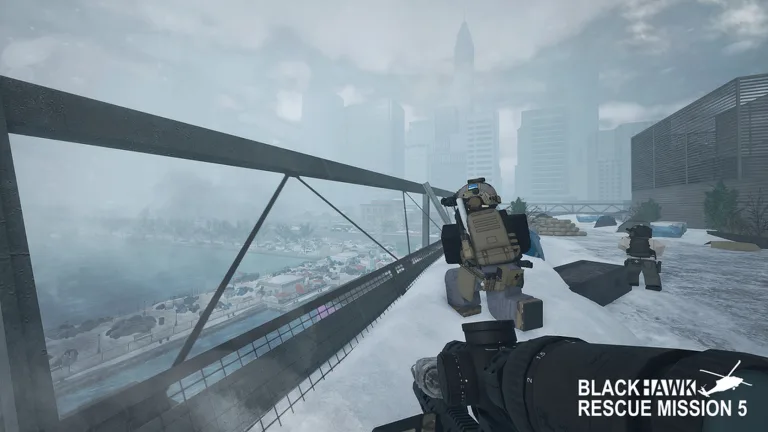
Master the skies in Roblox with our complete guide to blackhawk rescue mission 5 helicopter controls. Get the latest tips and fly like a pro.
Published: Blackhawk Rescue Mission 5 Wiki Editorial Team
Table of Contents
Introduction to Aerial Operations in Roblox
Mastering blackhawk rescue mission 5 helicopter controls can mean the difference between a successful tactical extraction and crashing into the mountainside. Whether you are transporting your squad across massive open maps or providing crucial covering fire, understanding how to handle your aircraft is vital for survival. Without proper knowledge of blackhawk rescue mission 5 helicopter controls, even the most experienced tactical shooters will find themselves grounded or spinning out of control.
Developed by PLATINUM FIVE on the Roblox Official Platform, this military tactical shooter demands precision, teamwork, and sharp reflexes. In this comprehensive guide, we will break down everything you need to know about piloting aircraft, optimizing your setup, and executing smooth maneuvers under heavy enemy fire.
Essential Flight Mechanics and Layout
Before taking off from the base, every pilot needs to memorize the baseline keyboard and mouse layout. Flight physics in this game mimic realistic weight and momentum, meaning you cannot simply slam directional keys and expect instant response times.
Engine Startup: Press the designated engine ignition key to spool up the rotor blades before attempting any takeoff sequences.
Collective & Altitude: Use the assigned vertical lift keys to control your rate of climb and descent smoothly.
Cyclic Movement: Lean forward, backward, and sideways to tilt the aircraft rotor disc, translating power into horizontal velocity.
Anti-Torque Pedals: Utilize tail rotor yaw controls to face your nose toward targets or align with landing zones.
Community reports and player experience indicate that rushing the startup sequence or applying harsh cyclic inputs often leads to immediate stalls or fatal crashes during high-stakes open-world deployments.
Default Keybindings Breakdown
Having a clear reference table for your primary inputs helps reduce panic in combat scenarios. Below is a detailed breakdown of standard flight inputs for keyboard and mouse players.
Control Function
Default Key / Action
Tactical Purpose
Throttle / Collective Up
Spacebar
Increases altitude and vertical lift
Throttle / Collective Down
Left Ctrl
Decreases altitude and initiates landing descent
Pitch Forward / Backward
W / S
Controls forward and backward tilt
Roll Left / Right
A / D
Banks the aircraft sideways for turning
Yaw Left / Right
Q / E
Swivels the aircraft nose left or right
Free Look / Camera
Hold Right Click
Scans landing zones without changing flight path
Tip
Always keep your collective steady when approaching a landing zone to prevent hard impacts that can damage vital aircraft components and injure passengers.
Advanced Piloting Techniques for Combat Zones
Once you master basic hovering and cruising, you can incorporate advanced combat maneuvers. Transport pilots frequently face anti-aircraft threats, making evasive flying a mandatory survival skill.
Combat Maneuver: Pop-Up Attacks
Hide your helicopter behind terrain features or large structures, then rapidly adjust your collective to pop up, acquire targets for your gunners, and drop back down before enemy forces can return accurate fire.
Combat Maneuver: The Orbit Pattern
Maintain a continuous circular banking motion around an objective zone. This keeps your side-door gunners in range while making your aircraft a much harder target for enemy ground units to track.
According to community feedback from veteran pilots, practicing these maneuvers in low-threat zones drastically improves your spatial awareness during major server raids and open-world operations.
Troubleshooting Common Flight Issues
Even skilled aviators run into unexpected technical or mechanical hurdles while airborne. Reviewing these common pain points can save your squad from a disastrous wipe.
Check your rotor damage indicators if the aircraft starts drifting uncontrollably to one side.
Ensure your internet connection is stable, as high latency can severely delay response times for blackhawk rescue mission 5 helicopter controls.
Practice landing on uneven terrain slopes by gently resting one skid down before feathering your collective.
Remind passengers to board only when the aircraft has come to a complete, stable stop to prevent physics glitches.
Frequently Asked Questions
What are the best settings for blackhawk rescue mission 5 helicopter controls?
Most veteran players recommend lowering mouse sensitivity slightly while flying to allow for smoother micro-adjustments, preventing jerky camera movements that disrupt stable flight paths.
Can I use a game controller for flying helicopters?
Yes, Roblox supports various gamepads, but many players prefer keyboard and mouse setups for finer control over collective pitch and yaw alignment during precision landings.
Why does my helicopter spin out of control on takeoff?
Spinning usually occurs when you apply heavy yaw input before the main rotor has reached full RPM, or when you over-correct against torque forces. Always let your engines spool completely before lifting off.
How do I practice flying safely without risking team assets?
Take advantage of quieter areas on the map or empty private servers to drill your landings, hover stability, and emergency descents without enemy interference.